





Conviva Colors
Primary Colors
Green 400
#78b900
Conviva Gray
#717372
Green - Primary
Green 700
#063d24
Green 600
#1e6622
Green 500
#5a9b00
Green 400
#78b900
Green 300
#9cdc00
Green 100
#f1f8e5
Blue - Secondary
Blue 700
#0b1f3b
Blue 600
#1b2e5e
Blue 500
#0737ad
Blue 400
#4189dc
Blue 300
#8ccbff
Blue 200
#d6e8f7
Blue 100
#edf4fb
Pink - Accent
Pink 600
#942366
Pink 500
#e5167b
Pink 200
#fce8f2
Neutrals
Gray 900
#222629
Gray 800
#424548
Gray 700
#707372
Gray 600
#9b9d9c
Gray 500
#c6c7c7
Gray 400
#d4d5d5
Gray 300
#e2e3e3
Gray 200
#f1f1f1
Gray 100
#f8f8f8
White
#ffffff
Typography
Conviva has been using the geometric typeface Poppins for over five years and plans to continue. The only refinement is adopting the double-story ‘a’ for web, as it improves readability in smaller sizes or dense text and reduces confusion with similar letters like ‘o.’ The double-story ‘a’ also conveys a formal and professional style, aligning with Conviva’s brand image.
For type treatment, we are moving toward bolder, larger display and headings, with more vibrant color fills to create a striking and dynamic visual presence.
Important note: For website design, please use the double-story ‘a,’ NOT the default ‘a.’
Poppins Regular | Poppins Semi-Bold | Poppins Bold
Team Icons

Platform Icons
Illustrations
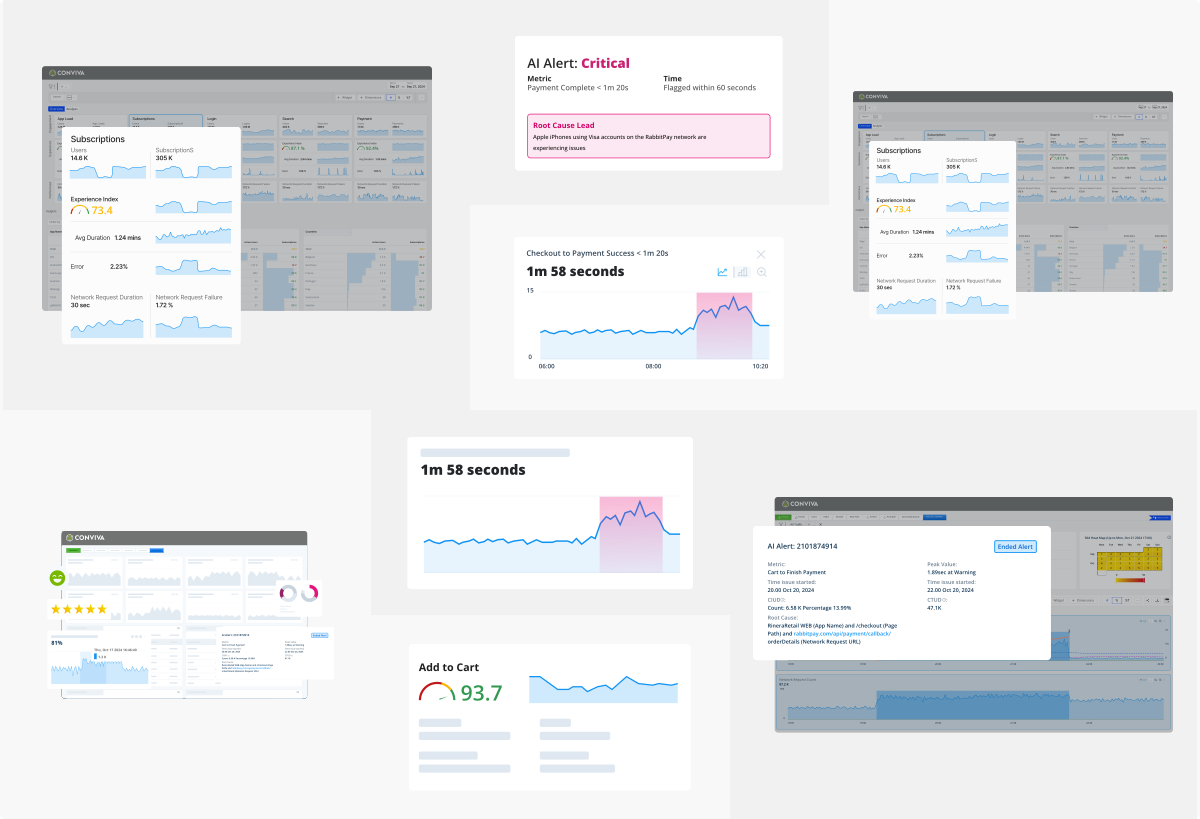
Our evolved illustration style combines multiple visual elements into cohesive compositions: authentic UI components, real-world photography (transparent product shots, physical objects), data visualizations, and charts. This mixed-media approach creates more engaging, relatable storytelling that connects abstract data concepts to tangible business outcomes. Rather than limiting ourselves to simplified or detailed UI recreations, we now blend elements that tell richer stories. A sneaker might sit alongside performance metrics and interface elements, illustrating how our analytics impact real products and real businesses. This approach makes complex data insights more accessible and memorable.
These collaged illustrations work across all contexts—from technical documentation to social media—because they can emphasize different elements based on audience needs. The combination creates visual interest while maintaining the professional credibility essential for enterprise audiences.
This evolution reflects our brand’s maturity: confident enough to blend multiple visual languages into compelling, cohesive communications.

UI Illustrations
Due to the abstract nature of Conviva’s messaging and platform, illustrations must simplify these ideas and technical components into static images, often resulting in complex visuals. We’re shifting illustrations as a whole towards a UI focus that highlights and clarifies the product without complicating design or obfuscating the messaging.